
Three steps. About five minutes.
No account with me, no subscription. Your server, your keys.
Deploy your server
One click to your free Cloudflare account. Pick a setup key.
Add a passkey, connect
Your fingerprint signs you in. Press Open in Obsidian, and Connect.
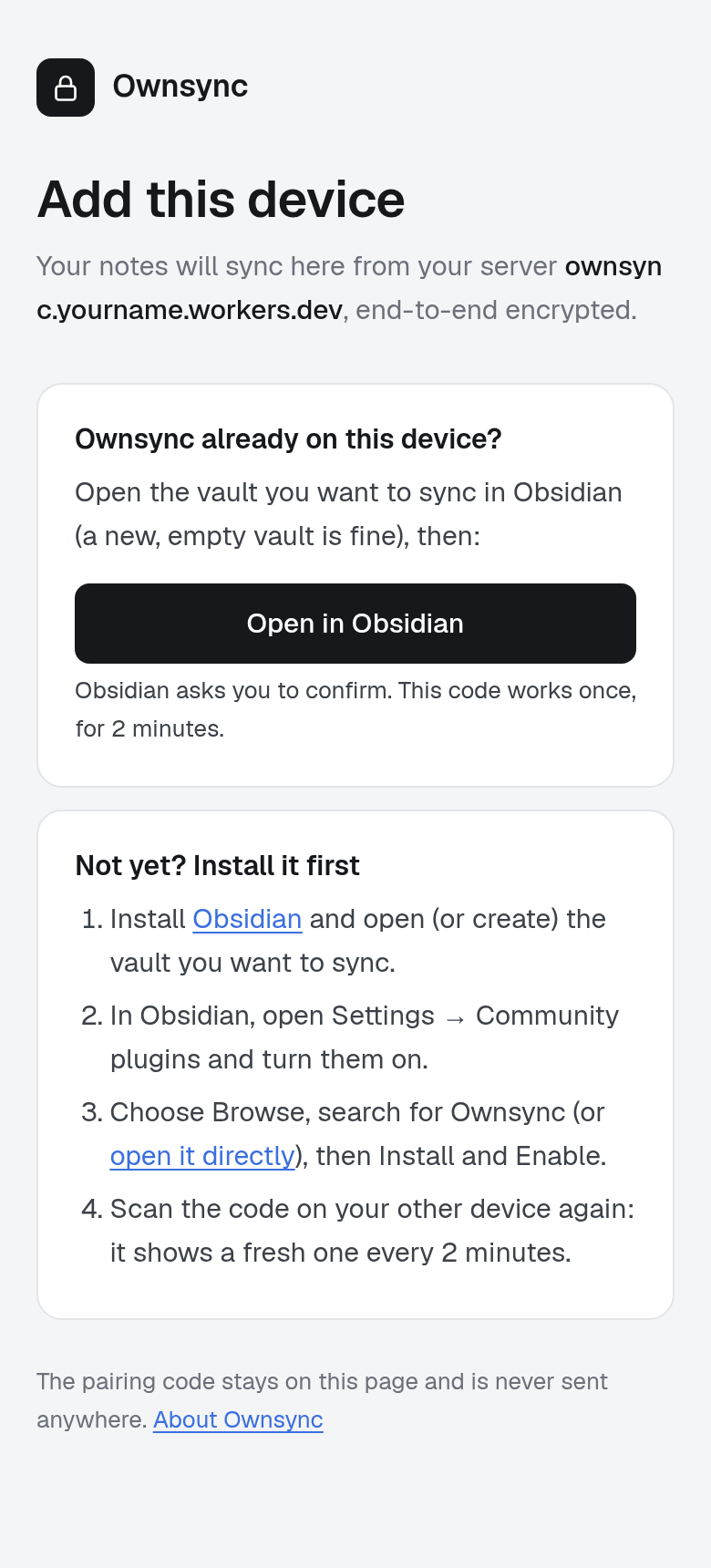
Scan, and you're done
Your phone scans a one-time code. Your server never sees the key.
The setup guide has every step, with screenshots.
Sealed on your device. Opened on your others.
Your Worker sits in the middle, passing along what it can't read.
Your laptop
Encrypts every edit as you type.
Holds the keyYour Worker
Relays and stores scrambled data on your Cloudflare account.
No key, everYour phone
Decrypts and shows the edit, about 65 ms later.
Holds the key
A new device gets the key from a one-time code you scan on a device that already syncs.
Private by design. Not by promise.
Your server keeps only scrambled data, even from someone who took over your Cloudflare account.
Board meeting
Q3 numbers are in. Hiring plan moves to next week.
- Send deck to Priya
- Book the room for Thursday
No independent audit yet. Read the design notes and threat model and the stress test results."500,000 random accidents" means random crashes, renames and reconnects across three simulated devices.
Your server, or someone else's.
How it stacks up against the other ways to sync Obsidian. Where another one fits you better, I say so.
| Feature | Ownsync | Obsidian Sync | Self-hosted LiveSync | Remotely Save | Relay |
|---|---|---|---|---|---|
| Price | Free on Cloudflare's free plan ($5/mo Workers Paid for more) | From $4 a month | Free; your own server, or peer-to-peer | Free; a paid PRO tier is coming | Free for 3 users; paid from $5 a month |
| Who holds the keys | Only your devices | You, with your own password | You, with your passphrase | You, if you set a password | Relay |
| End-to-end encrypted | Yes, always | Yes, by default | Yes, once you turn it on | Optional, off by default | No |
| Live as you type | Yes, under a second | Near real-time, no live cursors | Continuous, with CouchDB or peer-to-peer | No: on a schedule or on save | Yes, with live cursors |
| Where your notes are stored | Your own Cloudflare account | Obsidian's servers, in a region you pick | Your CouchDB, S3 bucket, or peer-to-peer | Your S3, Dropbox, OneDrive or WebDAV | Relay's cloud, or your own server |
| Setup | Deploy button, passkey, scan a QR | Sign in, set a password | Set up a server, then a setup link | Connect a bucket, server or account | Sign in, create a relay |
| Open source | Yes, MIT | No | Yes, MIT | Core yes (Apache 2.0), PRO source-available | Plugin and server yes, sign-in service closed |
The free plan gives 5 GB of storage and 100,000 rows written a day: plenty for one person's notes. Cost and limits.
Questions
Can Cloudflare read my notes?
No. Every edit is encrypted on your device with a key only your devices hold. The server stores scrambled data, and the dashboard sees only when devices connect and how much is stored.
What if I lose my phone?
Remove it from any other device. The vault gets a new key the lost phone doesn't have: it keeps what it already had, but gets nothing new.
Does it work on iPhone and Android?
Yes, anywhere Obsidian runs. Phones can sync notes only, and skip attachments.
Do I need to know how to code?
No. You press a button to deploy, pick a setup key, and follow the steps on your dashboard. Nothing to type in a terminal. Cloudflare asks to connect GitHub, where it keeps your server's copy of the code.
What if Cloudflare changes its free plan?
Workers Paid is $5 a month, and that's the worst case. Your notes stay on your devices whatever happens, and you can move to another Cloudflare account by setting up a new vault.
What if my Worker is down?
Keep writing. Every device works offline, and they merge when the Worker is back.
What if I lose every device?
The recovery key from setup gets the vault back. Without it, nobody can read the server's copy, me included.
Why not Obsidian Sync?
It's good, and it's the easy choice. Ownsync is for people who want the server to be theirs, and edits to show up live as they type.
Has it been audited?
Not yet. Here's the threat model in the design notes, and the 500,000-accident stress test.
Is it ready?
It's early. I use it every day, and I'm the only one testing it so far. Keep a backup of your vault while you try it.